
Smart Media Player0.9.3 - Google Play
You'll be able to see results in few seconds.
Publisher Description

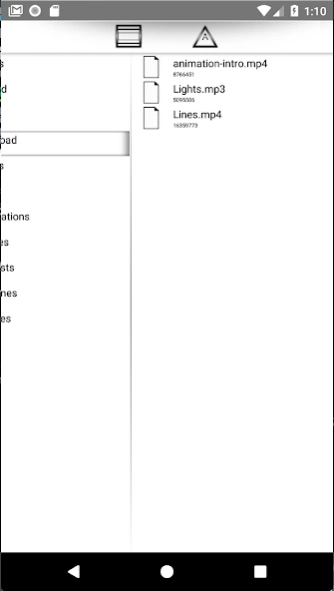
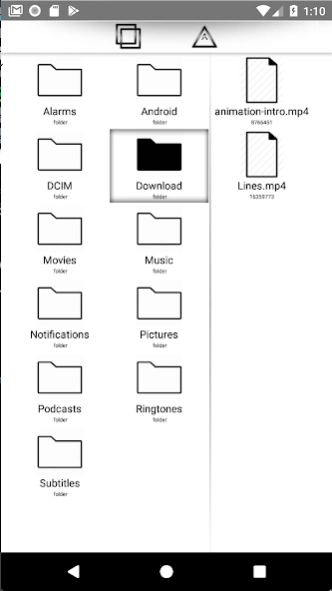
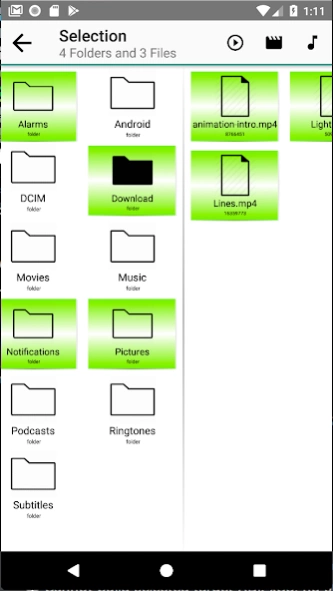
A powerful media player to play audios and videos for mobile and wearable ▶️
Smart Media Playerhandles most popular video and audio formats including:
MP4, FLV, WMV, AVI, MKV, MPEG, FLV, DIVX, H264, H263,H261, 3GP, 3GPP, ASF, MOV, M4V, OGV, VOB, MP3, FLAC, AAC, OGG, WAV, WMA and many more...
Stream video URL from online content via
HTTP, HTTPS, RTMP, RTMPE, RTMPS, RTP, RTSP, MMS, MMST, MMSH and UDP
This media player stream your content from anywhere with great speed and performance!
Features:
-
NO ANNOYING ADS & NO BANNER !!
- Clean and elegant user interface
- Supports most video and audio formats;
- Hardware acceleration can be applied to more videos with the help of new H/W decoder.
- Multi-Core Decoding
- Enjoy your video/audio content from your tablets, mobiles and smartwatches devices!
- Supports HD videos and Full HD video playing memory optimisation
Disclaimer for Wear OS users:
- We intentionally designed the current user interface to provide a fluent and usable user experience across most wearable devices. Although some items at the edge of lists may be a little cropped by some wearables dimensions (rounded). It does not break or prevent you to access and consume your medias. Make sure to swipe horizontally and vertically to navigate through your files.
- Some high resolution videos may not render properly or heavily lag your such low memory/ram device. Please try to consume low resolution video on your wearables. Most audio tracks should work just fine.
Happy streaming!
About Smart Media Player
The company that develops Smart Media Player is Nasai. The latest version released by its developer is 0.9.3.
To install Smart Media Player on your Android device, just click the green Continue To App button above to start the installation process. The app is listed on our website since 2020-01-02 and was downloaded 0 times. We have already checked if the download link is safe, however for your own protection we recommend that you scan the downloaded app with your antivirus. Your antivirus may detect the Smart Media Player as malware as malware if the download link to com.mediaplayer.smart is broken.
How to install Smart Media Player on your Android device:
- Click on the Continue To App button on our website. This will redirect you to Google Play.
- Once the Smart Media Player is shown in the Google Play listing of your Android device, you can start its download and installation. Tap on the Install button located below the search bar and to the right of the app icon.
- A pop-up window with the permissions required by Smart Media Player will be shown. Click on Accept to continue the process.
- Smart Media Player will be downloaded onto your device, displaying a progress. Once the download completes, the installation will start and you'll get a notification after the installation is finished.
Program Details
System requirements
Download information
Pricing
Version History
version 0.9.3
posted on 2020-01-02
- Bug fixes
- Properly prompt media player from other apps via video player
- Upgrade player engine for better performance
Disclaimer
Official Google Play Link
We do not host Smart Media Player on our servers. We did not scan it for viruses, adware, spyware or other type of malware. This app is hosted by Google and passed their terms and conditions to be listed there. We recommend caution when installing it.
The Google Play link for Smart Media Player is provided to you by apps112.com without any warranties, representations or guarantees of any kind, so access it at your own risk.
If you have questions regarding this particular app contact the publisher directly. For questions about the functionalities of apps112.com contact us.
